
How do I reload my page count?
Reloading your page balance on SonicBook is quick and easy. If you've reached your limit and would like to continue creating ebooks, follow these steps to recharge your account.
1. Go to the recharge option
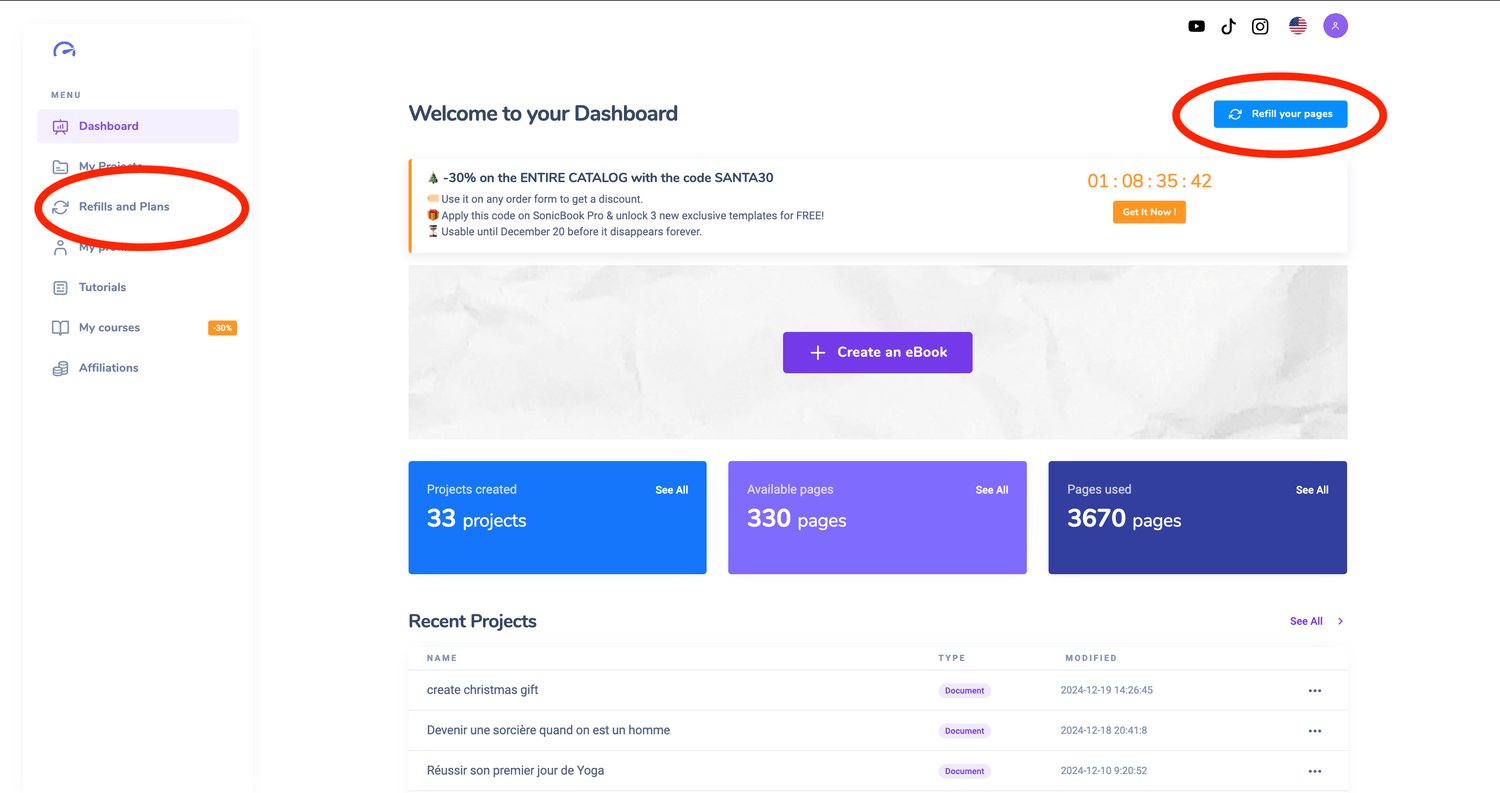
There are two ways to access the reload function:
From the home page: Click on the “Reload my pages” button on your dashboard.
From the menu: Go to the left-hand side menu and select “Reload and Plan”.
2. Select the desired number of pages
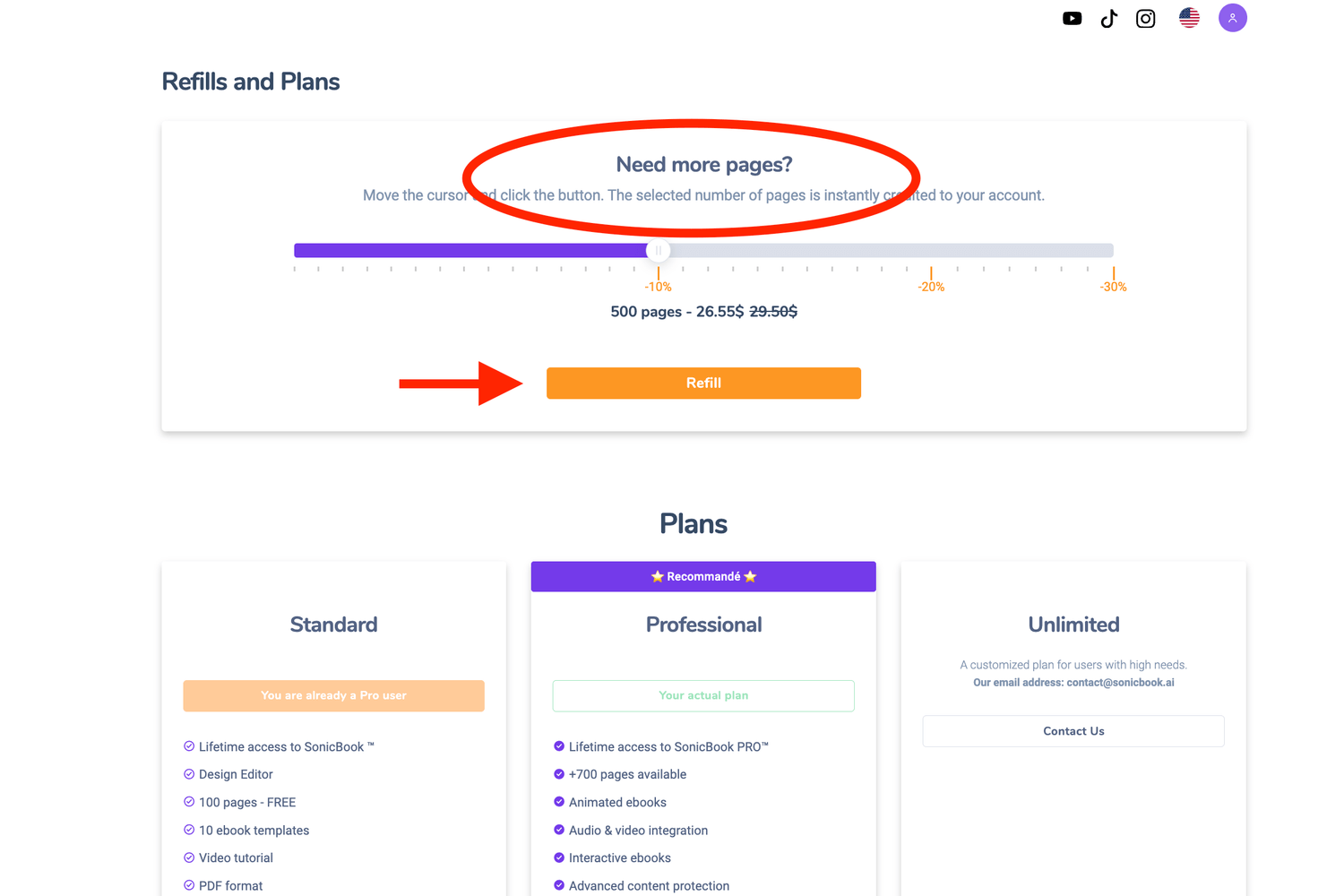
Once in the recharge interface :
Choose a pack:
Available options range from 100 to 1000 pages.
Tip: For 500 pages or more, you'll benefit from an attractive discount.
Confirm your selection: Click on the “Validate” button to confirm your choice.
3. Proceed to payment
After validating the package :
Select your preferred payment method.
Follow the instructions to complete the transaction.
Once payment has been confirmed, your pages will be automatically added to your account.
4. In case of problems
If pages are not added immediately after payment:
1. Check your email for a transaction confirmation.
2. Contact our support team at contact@sonicbook.ai with the following details:
- Your name.
- The email address associated with your SonicBook account.
- Proof of payment (screenshot, transaction number, etc.).
Our team will resolve the problem as quickly as possible.